Working from home is no longer a pandemic-era experiment — it’s the way millions of Australians work every single day. Whether you’ve just landed a remote role, you’re launching a side business from the spare room, or you’ve simply decided that the dining table isn’t cutting it anymore, setting up a proper home office is one of the best investments you can make in your productivity, health, and career.
But where do you start? There’s a big difference between “a laptop on the couch” and a workspace that genuinely supports eight-plus hours of focused work. This guide walks you through every decision — from choosing the right room to picking furniture, technology, lighting, and decor — so you can build a home office that works as hard as you do.
Step 1: Choose the Right Space
Before you buy a single piece of furniture, you need to decide where your office will live. The ideal home office space has a few key characteristics:
A door you can close. This is the single biggest factor in work-from-home productivity. A dedicated room with a door lets you separate work from life, reduces distractions, and — importantly — makes it easier to claim home office tax deductions with the ATO (more on that in our tax deductions guide).
Natural light. Study after study shows that natural light improves mood, energy, and sleep quality. Position your desk near a window, but perpendicular to it rather than directly facing it — this reduces glare on your screen while still giving you the benefits of daylight.
Adequate power outlets. You’ll need more than you think. A desk setup with a monitor, laptop charger, desk lamp, phone charger, and perhaps a printer can easily demand four to six outlets. If your chosen room is short on power points, invest in a quality surge-protected power board.
Enough room for a proper desk. You need a desk that’s at least 120cm wide to comfortably fit a monitor, keyboard, and mouse, plus some working space. Measure your room before you shop.
If you don’t have a spare bedroom, don’t despair. A quiet corner of the living room, a section of the garage, or even a large walk-in wardrobe can work — the key is consistency. Having a dedicated spot that you associate with work helps your brain switch into (and out of) work mode.
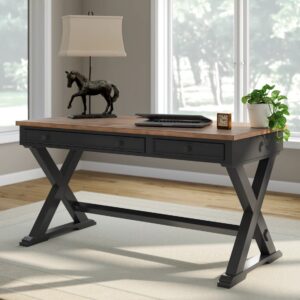
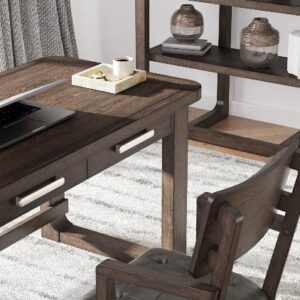
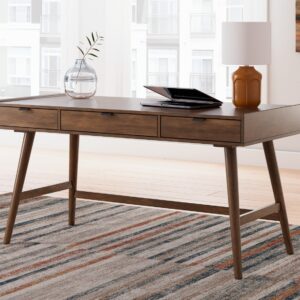
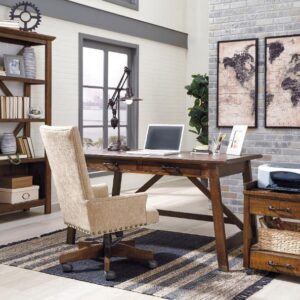
Step 2: Invest in a Quality Desk
Your desk is the foundation of your home office. It’s where you’ll spend the majority of your working hours, so it’s worth getting right.
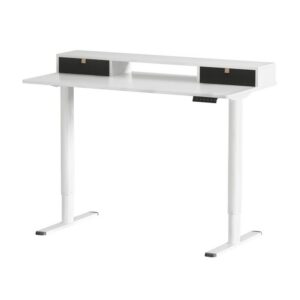
Sit-stand desks have become the gold standard for home offices in 2026, and for good reason. Research published in the British Medical Journal found that alternating between sitting and standing throughout the day reduces musculoskeletal discomfort, improves energy levels, and may even boost cognitive function. You don’t need to stand all day — even 15 to 20 minutes of standing per hour makes a measurable difference.
Electric sit-stand desks with dual motors are the most popular option because they’re smooth, quiet, and offer programmable height presets. At Home Sweet Office, we carry a range of sit-stand desks from brands like Artiss and Amazingooh that suit everything from compact spaces to large multi-monitor setups.
If a sit-stand desk isn’t in the budget right now, a sturdy fixed-height desk at approximately 73–75cm is the standard for most adults. Just make sure it’s deep enough (at least 60cm) to position your monitor at a comfortable distance.
What to look for in a desk:
- Desktop size: 120cm x 60cm minimum; 140cm x 70cm or larger if you use dual monitors
- Weight capacity: At least 50kg for a standard setup; 70kg+ if you have multiple monitors and accessories
- Cable management: Built-in cable trays or grommets make a huge difference to desk tidiness
- Height range (sit-stand): A range of roughly 60cm to 125cm accommodates most people for both sitting and standing
Step 3: Get an Ergonomic Chair
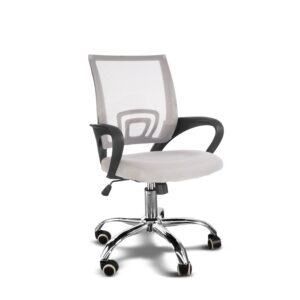
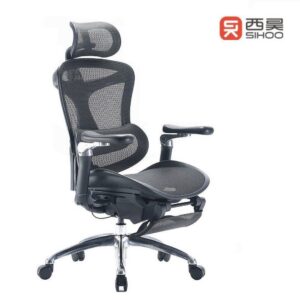
If the desk is the foundation, the chair is the backbone — quite literally. A poor chair leads to back pain, neck strain, and fatigue. A good ergonomic chair supports your natural spinal curve and keeps you comfortable through long work sessions.
Key features of an ergonomic office chair:
- Adjustable lumbar support that fits the curve of your lower back
- Adjustable seat height so your feet sit flat on the floor with thighs parallel to the ground
- Armrests that let your shoulders relax and your elbows rest at roughly 90 degrees
- Breathable mesh or quality upholstery — you’ll be sitting in it for hours
- Tilt mechanism that allows you to recline slightly (a 100–110 degree recline angle reduces spinal disc pressure)
Home Sweet Office stocks a range of ergonomic office chairs to suit different budgets, including the Artiss Ergonomic Office Chair with full lumbar and headrest support, executive leather chairs for a more traditional look, and the Chesterfield-style desk chair for those who want their office to feel a bit more refined.
Don’t skimp on your chair. It’s the one piece of furniture that directly affects your physical health every single day.
Step 4: Set Up Your Technology
A home office is only as productive as the technology that powers it. Here’s what most remote workers need:
Laptop or desktop computer. If your employer hasn’t provided one, a reliable laptop is the most versatile option for home office work. HP laptops offer an excellent balance of performance, build quality, and value — Home Sweet Office carries a range of HP laptops with free shipping over $150.
External monitor. Working on a laptop screen alone is one of the biggest productivity killers in a home office. An external monitor (24″ to 27″ is the sweet spot) gives you more screen real estate, reduces eye strain, and lets you position your display at the correct ergonomic height. For even more productivity, consider a dual monitor setup.
Monitor arm. A monitor arm frees up desk space and lets you position your screen at the perfect height and distance. Gas-spring arms are particularly popular because they allow smooth, one-handed adjustment. Browse our range of monitor arms including single and dual options.
Keyboard and mouse. A separate keyboard and mouse are essential if you’re using a laptop with an external monitor. Wireless options reduce cable clutter.
Webcam and headset. If you’re in regular video meetings, a dedicated webcam and a noise-cancelling headset make a significant difference to how you come across professionally.
Step 5: Get the Lighting Right
Lighting is one of the most underestimated elements of a home office. Poor lighting causes eye strain, headaches, and fatigue — and it makes you look terrible on video calls.
Layer your lighting with three types:
- Ambient lighting: Your room’s main light source (ceiling light or natural light from windows)
- Task lighting: A desk lamp positioned to illuminate your work surface without creating glare on your screen. LED desk lamps with adjustable colour temperature are ideal — cooler tones (4000–5000K) for focused work, warmer tones (2700–3000K) for late afternoon
- Accent lighting: Optional but effective for reducing eye strain. A bias light behind your monitor or ambient LED strips around the room reduce the contrast between your bright screen and dark surroundings
Home Sweet Office has a range of desk lamps and lighting options that suit home office use perfectly.
Step 6: Add Decor and Personal Touches
A home office should be a place you actually want to spend time in. Bare walls and a sterile environment won’t inspire your best work. Here’s where decor makes a real difference:
- Wall art or prints that you genuinely enjoy looking at
- Plants — even low-maintenance options like pothos or snake plants improve air quality and reduce stress
- A quality coffee machine — because let’s be honest, good coffee is a productivity tool
- Organisational accessories like desk organisers, cable clips, and a decent notebook
- A rug or soft furnishings if your office has hard flooring — they improve acoustics and comfort
Browse Home Sweet Office’s homewares and decor range for ideas that make your workspace feel less like a cubicle and more like your space.
Step 7: Ergonomics — Putting It All Together
Once all your furniture and equipment is in place, take ten minutes to dial in your ergonomics:
- Chair height: Feet flat on the floor, thighs parallel to the ground, knees at roughly 90 degrees
- Desk height: Forearms parallel to the floor when typing, elbows at 90 degrees
- Monitor position: Top of the screen at or slightly below eye level, approximately an arm’s length away (50–70cm)
- Keyboard and mouse: Close to the edge of the desk so your arms aren’t reaching forward
- Screen brightness: Match it to the ambient light in the room — it shouldn’t be the brightest or darkest thing in your field of vision
If your feet don’t reach the floor after adjusting your chair to the correct desk height, use a footrest. If your monitor isn’t high enough, a monitor arm or monitor riser solves the problem instantly.
Home Office Essentials Checklist
Use this checklist to make sure you haven’t missed anything:
Furniture
- Desk (sit-stand recommended) — Shop desks
- Ergonomic office chair — Shop chairs
- Monitor arm — Shop monitor arms
- Footrest (if needed)
Technology
- Laptop or desktop computer — Shop HP laptops
- External monitor (24″–27″)
- Keyboard and mouse
- Webcam
- Headset or earbuds with microphone
- Surge-protected power board
Lighting
- Desk lamp with adjustable brightness — Shop lighting
- Bias light or monitor light bar (optional but recommended)
Comfort & Wellness
- Standing desk mat (if using a sit-stand desk)
- Water bottle (hydration matters more than you think)
- Coffee machine — Shop coffee machines
- Plants
Decor & Organisation
- Wall art or prints — Shop decor
- Desk organiser
- Cable management (ties, trays, or clips)
- Noise machine or background music setup (optional)
Frequently Asked Questions
How much does it cost to set up a home office in Australia?
A basic but functional home office setup in Australia costs between $800 and $2,000, covering a desk, chair, monitor, and lighting. A premium setup with a sit-stand desk, ergonomic chair, dual monitors, and quality accessories can run between $2,000 and $5,000. Remember that many of these items are tax deductible if you work from home.
What is the most important piece of furniture for a home office?
Your chair. You’ll spend more hours sitting in it than on any other piece of furniture in your home. A quality ergonomic chair prevents back pain, reduces fatigue, and keeps you productive. Your desk is a close second.
Do I need a sit-stand desk?
You don’t need one, but the health and productivity benefits are well-documented. If budget allows, a sit-stand desk is one of the best long-term investments you can make for your home office.
How can I make a small space work as a home office?
Focus on a compact desk (120cm x 60cm), a monitor arm to free up desk space, and vertical storage solutions. Wall-mounted shelves, cable management, and a clutter-free desktop make a small space feel much larger than it is.
Can I claim my home office setup on tax?
Yes. The ATO allows you to claim deductions for home office furniture, equipment, and running expenses if you work from home. Items under $300 can be claimed as an immediate deduction; items over $300 are depreciated over their effective life. See our full guide to home office tax deductions in Australia.
What’s the best orientation for a desk near a window?
Position your desk perpendicular to the window — so the natural light comes from the side rather than from directly in front of or behind you. This minimises glare on your screen while still giving you the mood and energy benefits of natural light.
Ready to set up your home office? Browse the full range at Home Sweet Office — from sit-stand desks and ergonomic chairs to lighting, technology, and decor. Free shipping over $150 on every order.